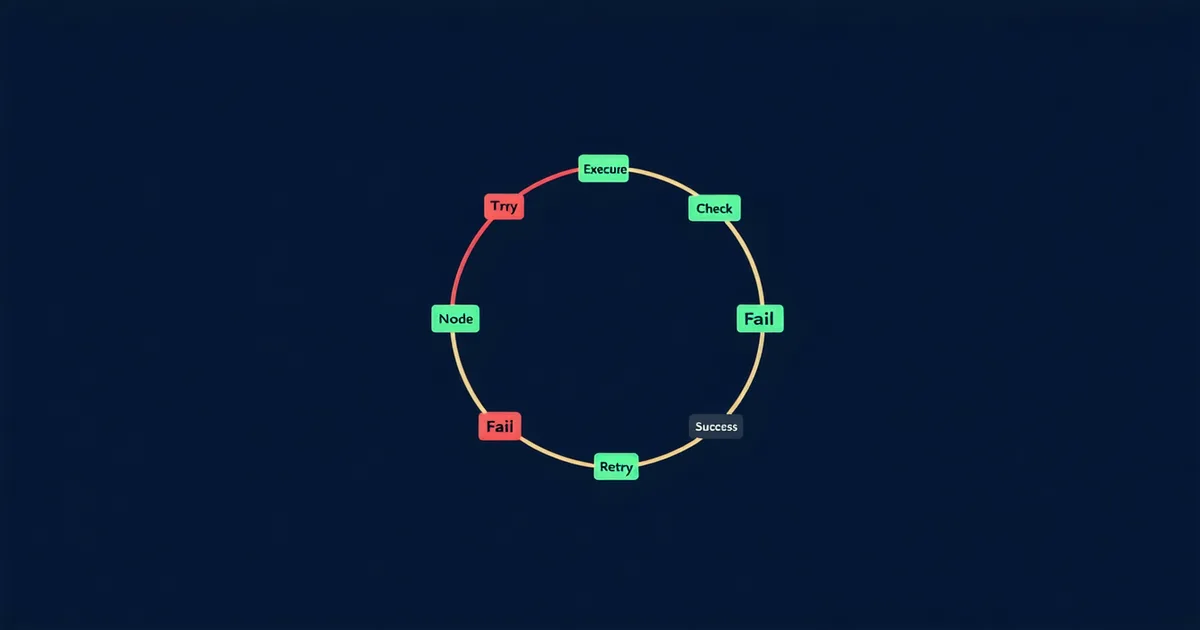
A ReAct-style agent running a competitive analysis task made 89 LLM calls before Diaflow's hard step ceiling fired and terminated the run. The task was "compare the pricing pages of five companies." Under normal operation, this takes 8-12 steps. What happened: the web scraping tool returned a rate limit error on the second company. The agent retried. Another rate limit. The agent, having no explicit recovery strategy, decided to search for the pricing information a different way — which triggered another tool call, which also returned an error, which caused the agent to try yet another approach. Every iteration added more context. The model's behavior under high context load became increasingly erratic. At step 60, it was making tool calls that had nothing to do with the original task.
Infinite loops in agentic systems aren't a theoretical concern. They're one of the most common categories of production incident once you move beyond toy workloads. This post is about how to design loop prevention, retry logic, and graceful degradation into agent architecture from the start, not as an afterthought.
Why Agentic Loops Happen
The underlying cause of most agentic loops is a mismatch between the agent's goal state and its available tools, combined with insufficient loop detection. The agent knows what it's supposed to accomplish. It has tools. When none of the tools succeed in moving it toward the goal, the model tries alternatives — endlessly — because it has no explicit break condition.
Three common triggering patterns:
Tool failure escalation. Primary tool fails → agent tries secondary approach → secondary fails → agent tries tertiary → all paths fail → agent cycles back to primary. Without a hard retry ceiling, this continues indefinitely. The model is not "confused" — it's doing exactly what you told it to do (accomplish the goal using available tools) with no signal that the goal is unachievable.
Ambiguous task completion. The agent accomplishes the task but the completion condition isn't clear enough for the model to recognize it's done. It continues taking actions that are adjacent to the task — extra verification calls, redundant confirmations, unnecessary formatting passes. Each action extends the context, which can slightly shift the model's behavior, potentially causing it to question whether the task is actually done.
Context-induced goal drift. After enough steps, the model's active "goal" as represented in its attention pattern starts to drift from the original task description (which is now thousands of tokens back in context). The model begins optimizing for a locally coherent but globally incorrect objective. This is subtle and hard to detect because each individual step looks reasonable.
Hard Ceilings: Non-Negotiable Infrastructure
Every agent in production needs three hard ceilings enforced by the runtime, not by prompting. Prompting the model to "stop after a reasonable number of steps" does not work reliably.
from diaflow import Agent, LoopConfig, BreakCondition

agent = Agent(
    name="competitive-analysis",
    model="claude-sonnet-4-6",
    loop_config=LoopConfig(
        max_steps=25,                    # hard ceiling — never exceeded
        max_llm_calls=20,                # separate ceiling for LLM calls specifically
        max_wall_time_seconds=180,       # wall-clock timeout
        max_consecutive_tool_errors=3,   # stop if 3 tool errors in a row
        on_ceiling_reached="escalate",   # not "crash" — escalate to human queue
    ),
    break_conditions=[
        BreakCondition.output_field_present("final_report"),   # task-specific break
        BreakCondition.explicit_stop_token("TASK_COMPLETE"),   # model-declared break
        BreakCondition.stagnation_detected(window=5, threshold=0.85), # semantic stagnation
    ]
)

result = agent.run(task_input)

# Note: code examples are illustrative —
# actual SDK usage requires a Diaflow account.
The stagnation_detected break condition deserves explanation: it computes the semantic similarity of the agent's last N outputs (using the same embedding model as your memory system), and if they exceed a similarity threshold, it concludes the agent is looping without making progress. This catches the "agent running in circles" pattern that step count alone won't catch if each circle is under the step ceiling.
Designing Retry Logic That Doesn't Make Things Worse
Retry is necessary. Retry without discipline is what turns a single tool failure into a 45-minute incident.
The principle: retry should reduce the probability of failure, not just repeat the action. A naive retry that re-executes the exact same tool call with the exact same parameters is only useful if the failure was transient (network hiccup, momentary API unavailability). If the failure is structural (wrong parameters, rate limit, auth error), immediate retry makes it worse.
Retry strategy by failure type:
- Transient (5xx server errors, network timeout): Retry with exponential backoff. Cap at 3 retries. Jitter the backoff to avoid retry storms when many agents fail simultaneously.
- Rate limit (429): Retry after the
Retry-Afterheader value if present; otherwise exponential backoff starting at 10s. Track rate limit events per tool — if one tool is rate limiting consistently, the agent should route around it, not hammer it. - Schema/format error (422): Do NOT retry the same call. The model should be notified of the validation error and generate a corrected call. Retrying a schema-invalid call will produce the same result.
- Auth error (401/403): Fail hard. No retry. Escalate immediately. An auth error is either a misconfiguration or a credentials issue — neither is solved by retrying.
Graceful Degradation: What "Fail Well" Actually Means
Graceful degradation for agents means having an explicit answer to the question: "What should happen when this agent cannot complete its task?" This is a design decision, not a fallback behavior, and it needs to be made before the first production deployment.
Three viable degradation strategies, depending on your use case:
Partial completion with explicit output. The agent produces what it has accomplished so far, clearly labeled as incomplete, with an indication of where it stopped and why. For research synthesis agents, this means returning a partial report with a completion_status: "partial" flag and a list of sections that couldn't be completed. Partial output is better than no output if the consumer knows to treat it as partial.
Human escalation. The agent marks the task as requires-human-review and puts it in a queue. This is the right strategy for tasks where partial output is worse than no output — financial calculations, medical data processing, legal document analysis. The agent's job is to do as much as it safely can and clearly indicate where human judgment is needed.
Fallback to simpler execution path. Define a "safe mode" version of the agent that uses fewer tools, simpler logic, and explicit non-agentic steps. When the full agent fails, fall back to the simplified path. This is the most complex to implement but provides the best user experience for critical workflows.
The Honest Tradeoff: Step Limits vs. Task Completion
Setting hard step ceilings means some tasks that could have been completed with more steps will be terminated early. This is a deliberate tradeoff. We're not saying step ceilings have no cost — we're saying the cost of an unbounded agent in a production system is higher than the cost of occasionally terminating a run that would have completed if given more steps.
The right ceiling is calibrated to your actual workload: run your agent in staging, measure the p90 step count for legitimate task completion, and set the ceiling at 2-3× that value. For the competitive analysis task above, if legitimate runs take 8-12 steps, a ceiling of 25 steps gives you 2x headroom before termination.
Agentic loops are not an obscure edge case. They're a predictable consequence of deploying stateful, goal-directed systems without explicit break conditions. The engineering required to prevent them is not complex — it's just the part of agent architecture that demo code consistently omits.
The code examples in this post are illustrative of Diaflow SDK patterns. Actual implementation requires a Diaflow account and may differ from preview API shapes. See our documentation for current SDK reference.